Construction job management software holds one record of a job from quote to final invoice: the programme, crews, daily site records, variations, costs and compliance paperwork. CodeFish builds it for the operations, planning and leadership teams at Australian construction firms running several jobs at once, who have outgrown spreadsheets, job files and an accounting package. Unlike a project tool, it captures what actually happened on site and carries it to the invoice without anyone typing it twice. You know what a job costs while it is running, not after it is finished.
Construction Job Management Software
Construction job management software means the office knows what happened on site today, not on Friday.
Types of construction management software
Most firms already run two or three of these. Job management is the layer that carries one job through all of them.
Construction estimating software
Takeoffs, rates and quotes. When the estimate becomes the job budget without re-keying, you compare quote to actual on every job.
Construction project management software
Programmes, RFIs, drawings and document control. You get one current version of the plan instead of five emailed ones.
Construction scheduling software
Crews, subcontractors and plant booked against the programme, so a delay on one job moves the others before anyone turns up to an empty site.
Job costing software
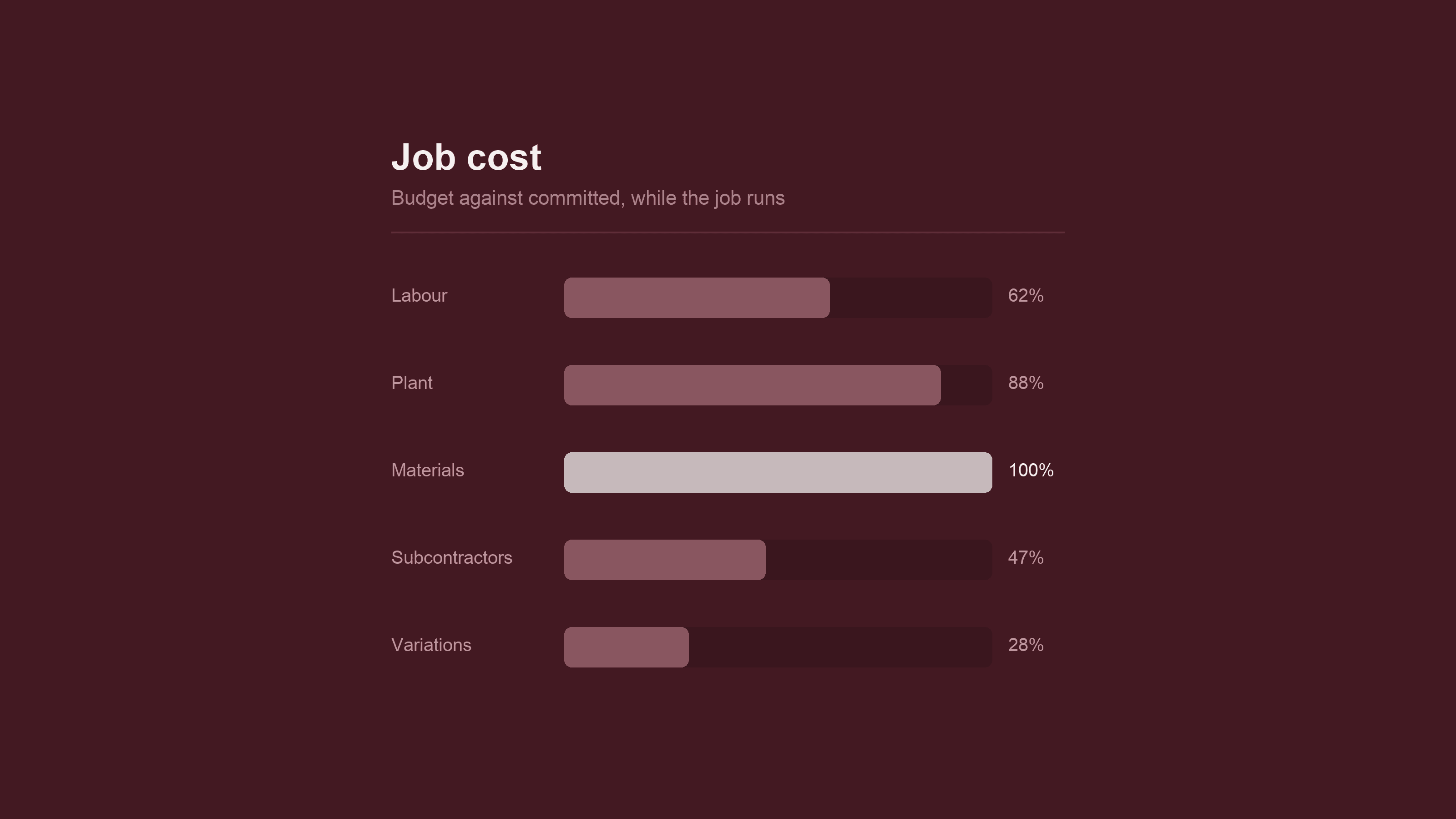
Committed and actual cost against budget, fed from the site record, so a losing job shows up in week three rather than at handover.
Site diary and timesheet apps
Dockets, diaries, hours and photos captured on a phone, offline, by whoever was there. The office stops chasing paper on Mondays.
Plant and equipment maintenance
Servicing by hours run and cost per machine, so plant is ready when the programme needs it. See [maintenance management](/enterprise-integration/cmms-maintenance-management).
What construction job management software has to do
Six jobs, and a build that misses any one of them gets worked around within a month. Ordered by how often they are the reason an operations team starts looking.
Quote to job without re-keying
The estimate becomes the budget, the budget becomes the job, and nobody retypes it. Where the quote lives in one system and the job in another, the two drift apart and the first honest cost comparison happens after handover.
The daily site record
Diaries, dockets, timesheets, plant hours, weather and photos captured once, on site, on a phone, by the person who was there. This is the part crews abandon if it takes longer than the paper form it replaced.
Variations captured when they happen
A variation recorded on the day, with the instruction and the photo attached, is a claim. The same variation remembered three weeks later is an argument. Most of the margin a builder loses is lost here.
Cost against budget while the job runs
Committed cost, actual cost and claimed-to-date on the same screen, updated from the site record rather than from month-end. Knowing a job is losing money in week three is worth more than knowing precisely how much it lost.
Compliance and evidence
SWMS, inductions, licences, ITPs and QA sign-offs collected against the job as work proceeds, so the handover pack assembles itself instead of being reconstructed by someone in the office.
The accounting connection
Progress claims, supplier invoices and payroll have to reach the accounting system without a person copying them across. Integration is not an add-on to construction software — it is usually the larger half of the build.
Should we buy construction software or build it?
Buy a platform when your jobs look like everyone else's. Procore, Aconex, Buildxact, Simpro and Jobpac handle standard residential, commercial and trade work well, and cost less than building. Build when the platform has to be fought: civil jobs priced on rates and quantities, a factory between the quote and the site, contract or claims structures it has no field for, or per-user licences across a big field crew that cost more each year than owning the software. Most construction firms end up with a mix, keeping Xero or MYOB, the estimating tool and any platform that already works, and building only the layer that carries the job between them, so you pay for the part that wins you work and nothing else.
How much does construction job management software cost?
Every job management project starts the same way: a Rapid Insight Workshop at a fixed $9,000 + GST. CodeFish maps how a job actually moves through your business — from the estimate to the site records to the claim — and the roadmap says what to build, what to buy off the shelf, and which steps to remove before anyone automates them. The roadmap is yours whether or not you build with us, and where the honest answer is an off-the-shelf platform and a fortnight of setup, that is the answer you will get.
What a build costs depends on what the workshop finds, and the driver is nearly always integration and data rather than screens: how many systems the job has to pass through, and how much of the site record is currently on paper. A defined build is quoted fixed-price as an Amplify project before work starts. Where the jobs and the contracts keep changing shape, it sits inside an Apex partnership instead, so the software keeps up with the work.
How a construction software project runs
Follow a real job
We walk one live job end to end with the people running it — estimator, site supervisor, admin — and record every form, spreadsheet, group chat and workaround it passes through. Steps that add nothing get flagged for removal rather than rebuilding.

Build the site record first
The daily record is built and put in front of crews before anything else, because it is the part that fails if the field does not adopt it. It runs alongside the paper process until the site trusts it.
Connect it to the money, then extend
Costs, claims and supplier invoices link through to the accounting system, so the job cost is current rather than historical. The next module goes in only once the first one is being used without chasing.

How we deliver construction software

Mobile App Development
App development in Adelaide for iOS, Android and cross-platform apps, built to a fixed price. Consumer products, enterprise tools and field apps.

Rapid Insight Workshop
We map how your business really runs — systems, costs, friction — and return a prioritised roadmap with a business case. $9,000 + GST, fixed.

Systems Integration
For operations businesses running five or more systems. We connect your ERP, CRM, warehouse and field systems so nobody retypes data, and keep them connected as a long-term partner.
Construction software questions we get asked
This is the failure mode, not a risk to manage — most construction software that gets abandoned is abandoned on site, not in the office. A form that takes longer than the paper docket it replaced will lose to the paper docket every time. Build the field app for someone standing up, in gloves, with one bar of signal, and judge it on whether the site record still arrives on the days nobody is chasing it.
The app has to work offline and sync later, and that is a decision made at the start rather than added afterwards. Offline changes the whole shape of the build — what happens when two people edit the same record, which data lives on the phone, how a photo taken in a basement reaches the job file. A construction app that needs a connection is a construction app that stops at the site boundary.
No, and you should not. Xero, MYOB or whatever runs your books is usually the one system in a construction business that works, and the finance team has no appetite for changing it. The job management layer sits above it and feeds it — progress claims, supplier invoices, payroll hours — through an integration rather than a replacement.
A project management tool tracks a plan somebody types in; job management software records what actually happened. On a construction job the second one is where the money is, because the gap between the programme and the site is exactly where variations, delays and cost overruns live. A tool that only holds the plan tells you a job is late without telling you what it cost.
Three to eight weeks for the first working piece once the process is agreed and system access is available. The delay is rarely development — it is deciding what should happen when a docket is missing, a variation is unapproved, or a subbie submits hours nobody signed off. Those decisions get made in the workshop, before the build.
Yes, and it is normally the first thing that pays for itself. Subcontractor licences, insurances, inductions and SWMS expire, and chasing them is a job somebody does by hand. The software holds the expiry dates, chases the document before it lapses, and blocks a crew from being scheduled to a site where their paperwork is out of date.
You do — the code, the data and the documentation, written down rather than held in one person's head. It matters more in construction than in most industries, because the job records are what you rely on in a dispute and they need to outlive both the software and whoever built it.
Four things: they spend time on site before quoting; they will tell you to buy a platform when a platform fits; the field app is designed for offline and for gloves; and someone in your business can change a form or a workflow afterwards without paying a developer. A partner who has only ever built for the office will build something the site works around.