
Six weeks after launch, the operations manager opens the new job system to pull the monthly report. The dashboard looks the way it did in the demo. Clean charts, every job in its column. Then he notices half the jobs closed at 4:58pm on a Friday, and most of them have the same three-word note.
He walks out to the yard and finds the real system. It's a spreadsheet on a shared laptop, and a whiteboard covered in a supervisor's handwriting.
The story below is a composite. I've watched versions of it play out more times than I'd like. The software wasn't broken. It was abandoned, and it went for four reasons that were all visible before launch.
Built for the person who signed
The project started in a boardroom. The manager wanted to know where every job was up to, who was behind and what the month looked like. Fair questions, and they turned into a tool with twelve required fields on every job.
The techs in the truck had different questions. Can I log this in four taps with gloves on? Can I skip the field I don't know yet? Can I get back to the job?
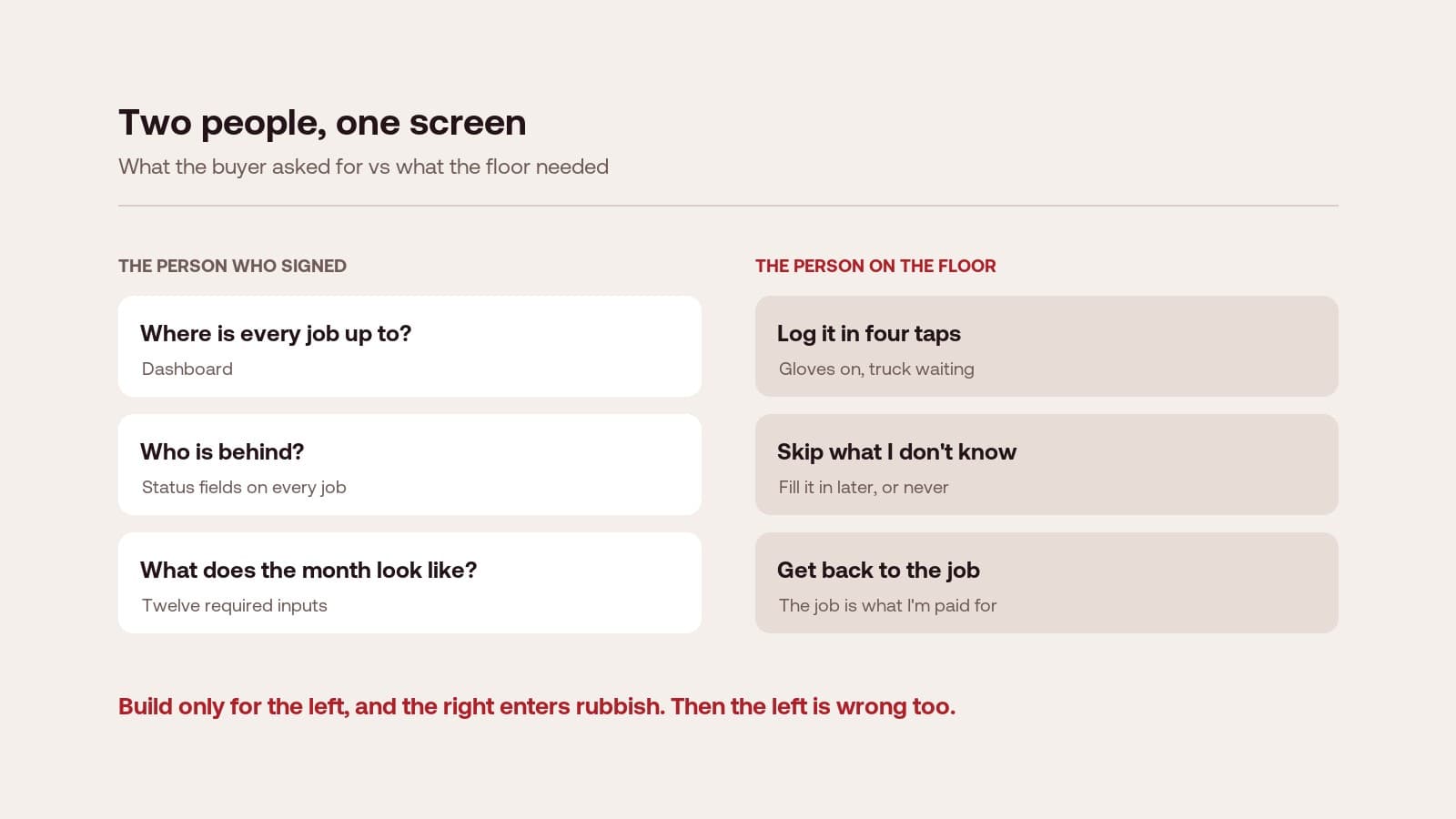
So they did what anyone would do. They typed whatever got them past the screen, usually at the end of the day. The reports the manager wanted were built on that data, so they were wrong too.
The fix is to design the daily task first and build the reporting from it. When entering data properly is the easy path, the reports come out right. That's the core of our user experience design work: start at the shop floor, then work up to the dashboard.
One person's job got worse
The system automated job allocation. Ten dispatchers each saved a couple of minutes a day. Nobody noticed that every job the rules couldn't place now landed on one desk, belonging to Karen in scheduling.
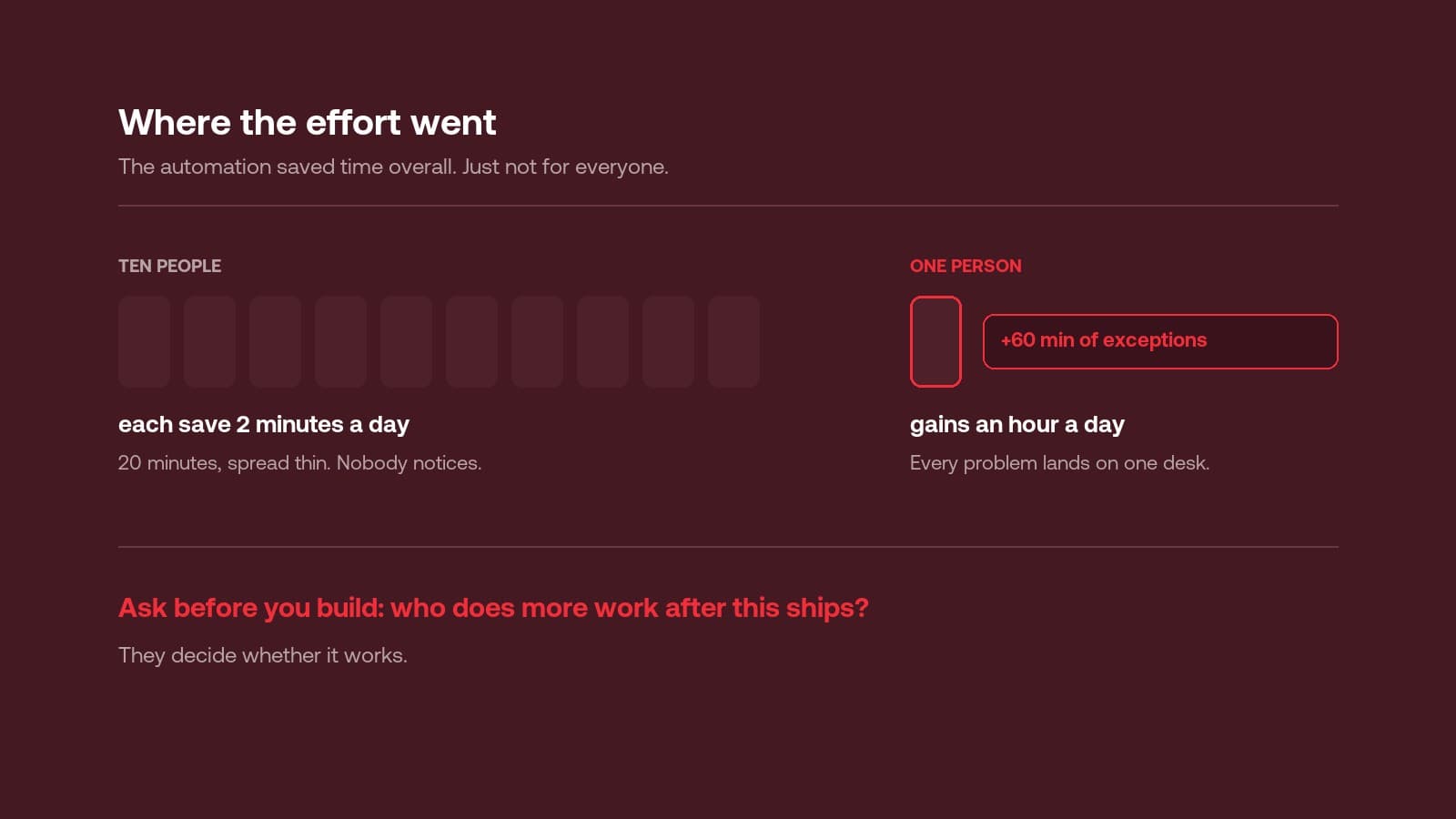
Karen gained an hour a day of exceptions. She was also the point everything funnelled through. Within a fortnight she had her own workaround, and everything downstream of her quietly drifted out of the system.
Automation rarely removes effort. It moves it. So we ask early: who does more work after this ships? Then we design for that person, because they decide whether it works. Mapping who does what, before anything is built, is what service design is for.
The odd job arrived
A customer wanted half the job done now and half next month. The system had no way to say that. Nobody raised a ticket. Someone opened a spreadsheet.
One job outside the system doesn't sound like much. But once one thing lives somewhere else, the system stops being the source of truth. A few months later it's a formality people update after the fact.
Every tool needs a real way to say this one is different. A notes field doesn't count. When the exception has a proper path, it stays inside the system where you can see it. Where a tool has to fit around existing ones, that path is often an integration problem, which is where systems integration comes in.
The rollout was an email
Launch day was a slide deck and an all-staff email. The project had been invoiced the week before. The team that built it had moved on to the next one.
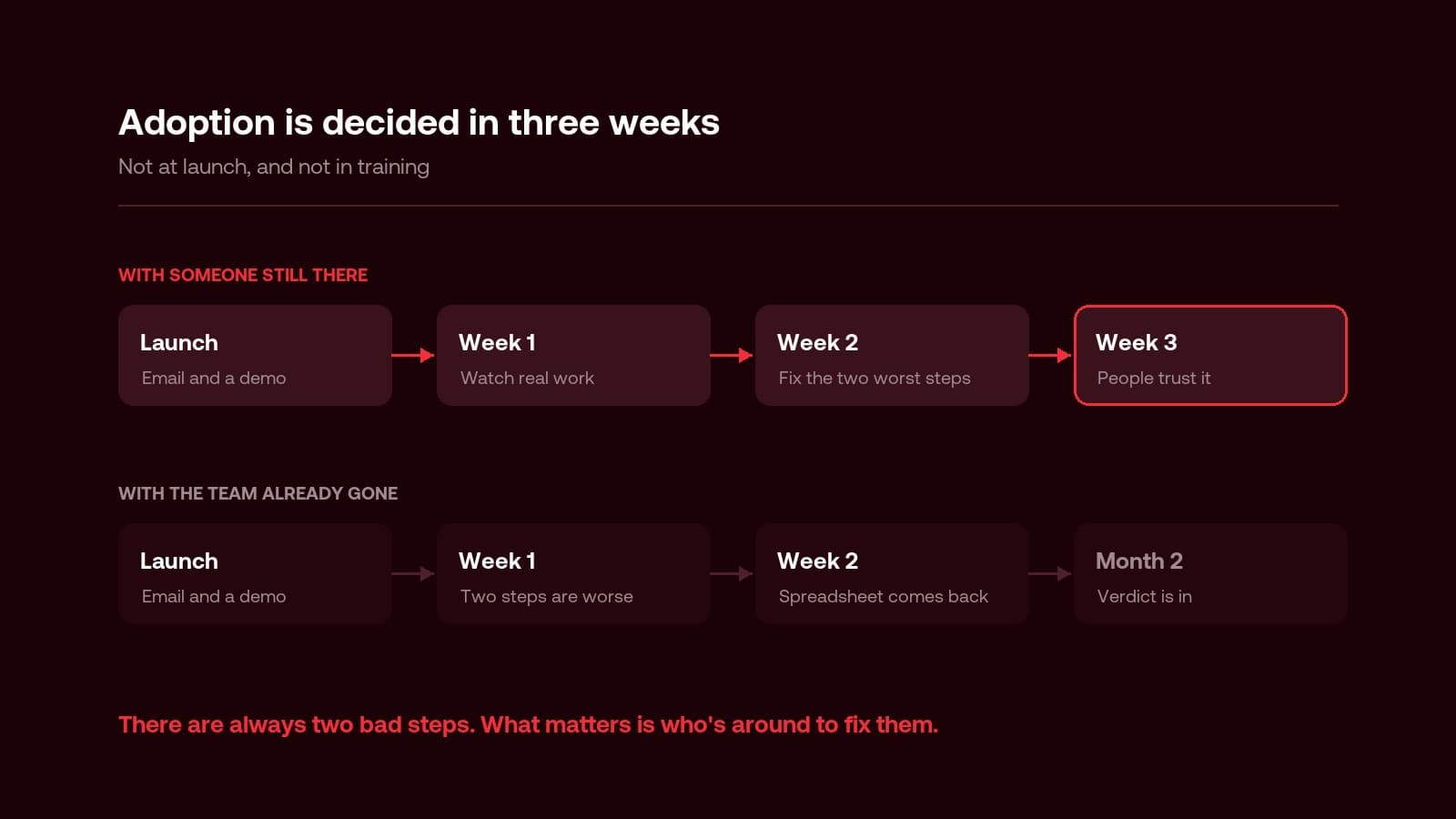
This is the most common of the four, and the cheapest to fix. Adoption isn't training. It's the first three weeks, when someone watches people use the thing, finds the two steps that are worse than the old way, and fixes them fast. There are always two. Fix them in week one and people trust the tool. Leave them until month two and the verdict is already in.
This gets skipped for a structural reason: a fixed-scope project has finished by then. It's one of the clearest arguments for an ongoing partnership like Apex, where the people who built the tool are still there when adoption is decided.
The test that would have caught it
None of this needed hindsight. One afternoon would have shown all four problems.
Sit with one person doing their real work in the new tool and count the taps against their old way. Not a demo or a walkthrough. Their actual job, with their own hands. It's the kind of thing we do in the first hours of a Rapid Insight Workshop.
If the new tool takes more steps than what they do now, they'll go back to what they do now. No amount of training changes that. Design happens on the shop floor, not in the mockup.